Resize peds and props in game, and save them as real models
rm_scaler lets you pick a ped or prop, resize it with a live preview and save it. It writes a real scaled copy of the model (mesh, skeleton, collision, LODs and metadata) into a streamed resource. The copy is a normal model with its own name: spawn it from any script and it stays that size, with nothing running every frame.
See it in action
Watch the video on YouTube
Why a baked model
- Ped scaler scripts resize with
SetEntityMatrix every frame. The hitbox stays full size, the ped jitters when it animates, and every client has to keep the loop running. - rm_scaler uses that trick only for the preview on your own screen. What it saves is the scaled model file itself, so the game treats it like any other addon model.
The editor (/scaler)
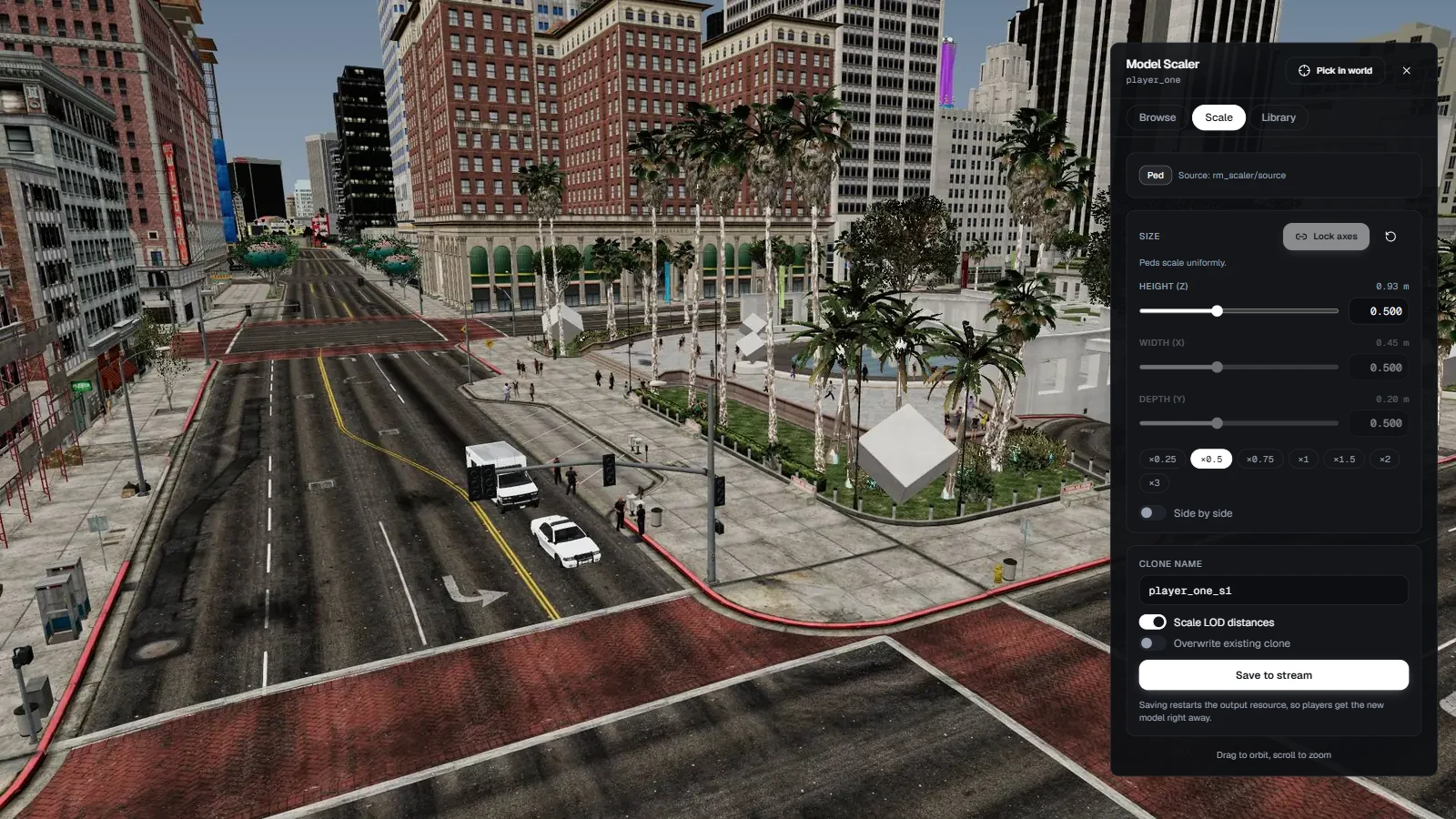
- Height, width and depth sliders on a log scale, from x0.05 to x20 (your limits in cfg.lua), with a lock to keep the proportions, quick presets and typed values.
- Each slider shows the real size in metres. Side by side puts the original next to the preview, and you drag to orbit the camera and scroll to zoom.
- Name the clone, choose whether a prop's LOD distances scale with it, and press Save to stream. The output resource restarts and Spawn clone puts the new model in front of you.
Pick it in the world or from pictures
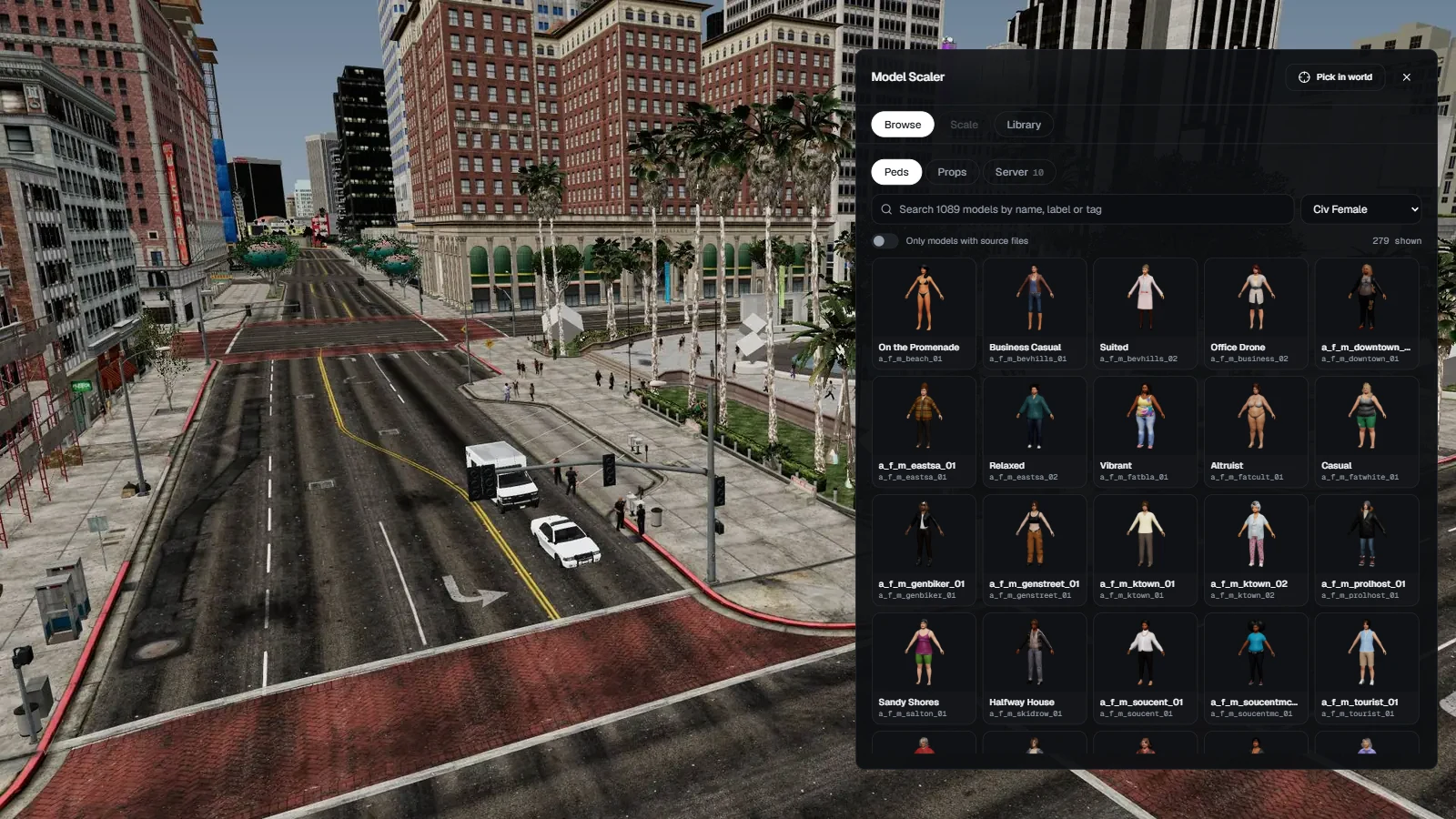
- Pick in world: look at a ped or prop and press E. Peds get a marker over the head, props an outline.
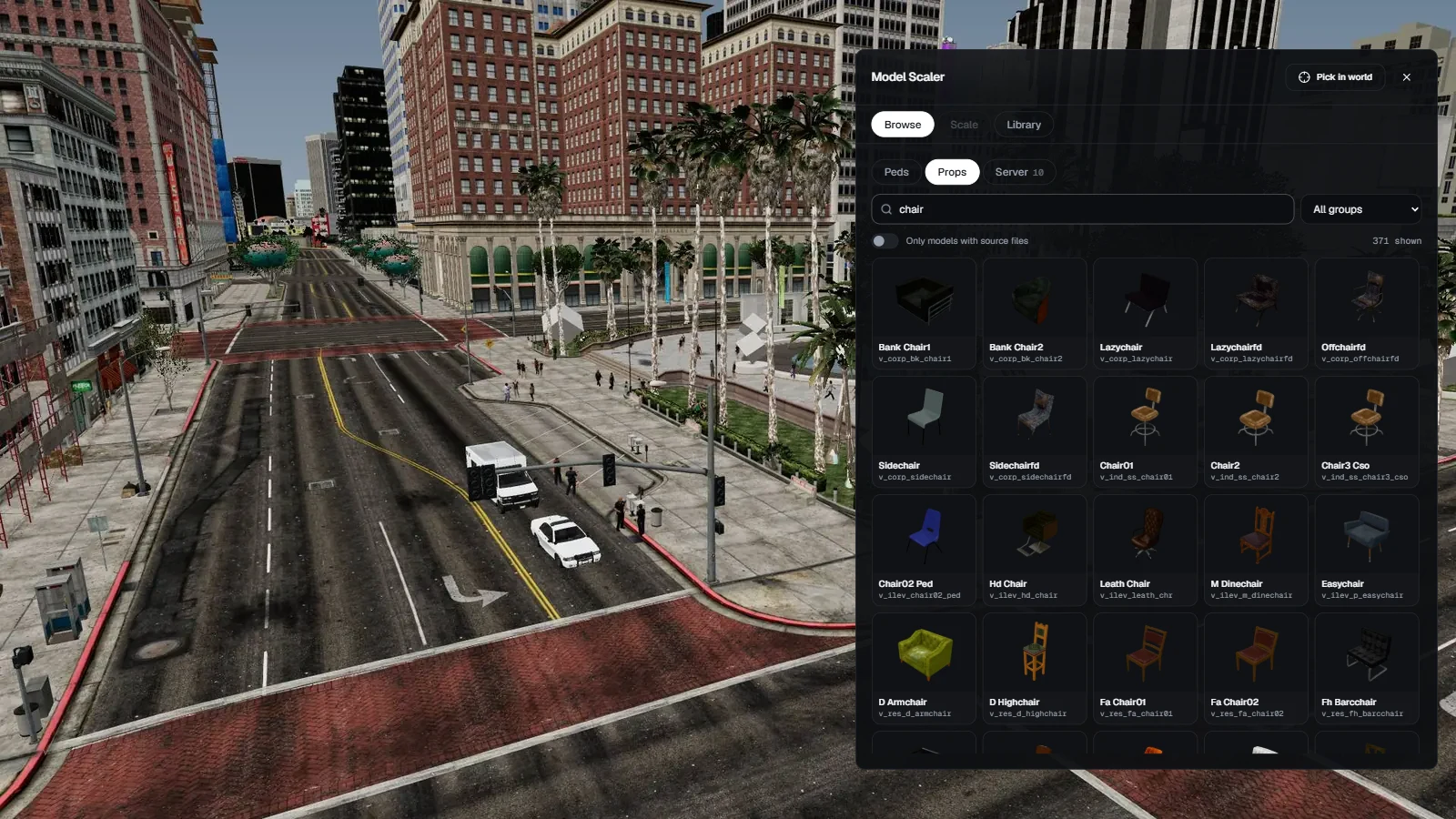
- Picture browser: the base-game peds and props with pictures, searchable by name, label or tag and filtered by group.
- Server tab: every model your server already streams, plus the files you put in the
source/ folder. A green Ready badge shows what can be saved.
Peds, animals and props
- Peds: a scaled skeleton, every body part and accessory (a hat still fits the smaller head), a scaled capsule so the feet stay on the ground, and the clone's own
peds.meta entry. Ambient peds, the story characters and animals. - Props: scaled mesh and collision, and a
.ytyp with the scaled bounds, the flags and, if you want, a scaled LOD distance so a bigger prop stays visible further away. - Breakable props (fragments) keep working physics, with the inertia scaled to the new size.
- Where the files come from: addon models are read from the resource that streams them. Base-game models are copied once into
rm_scaler/source/ with CodeWalker or OpenIV; the docs show which files each one needs.
Different proportions for props
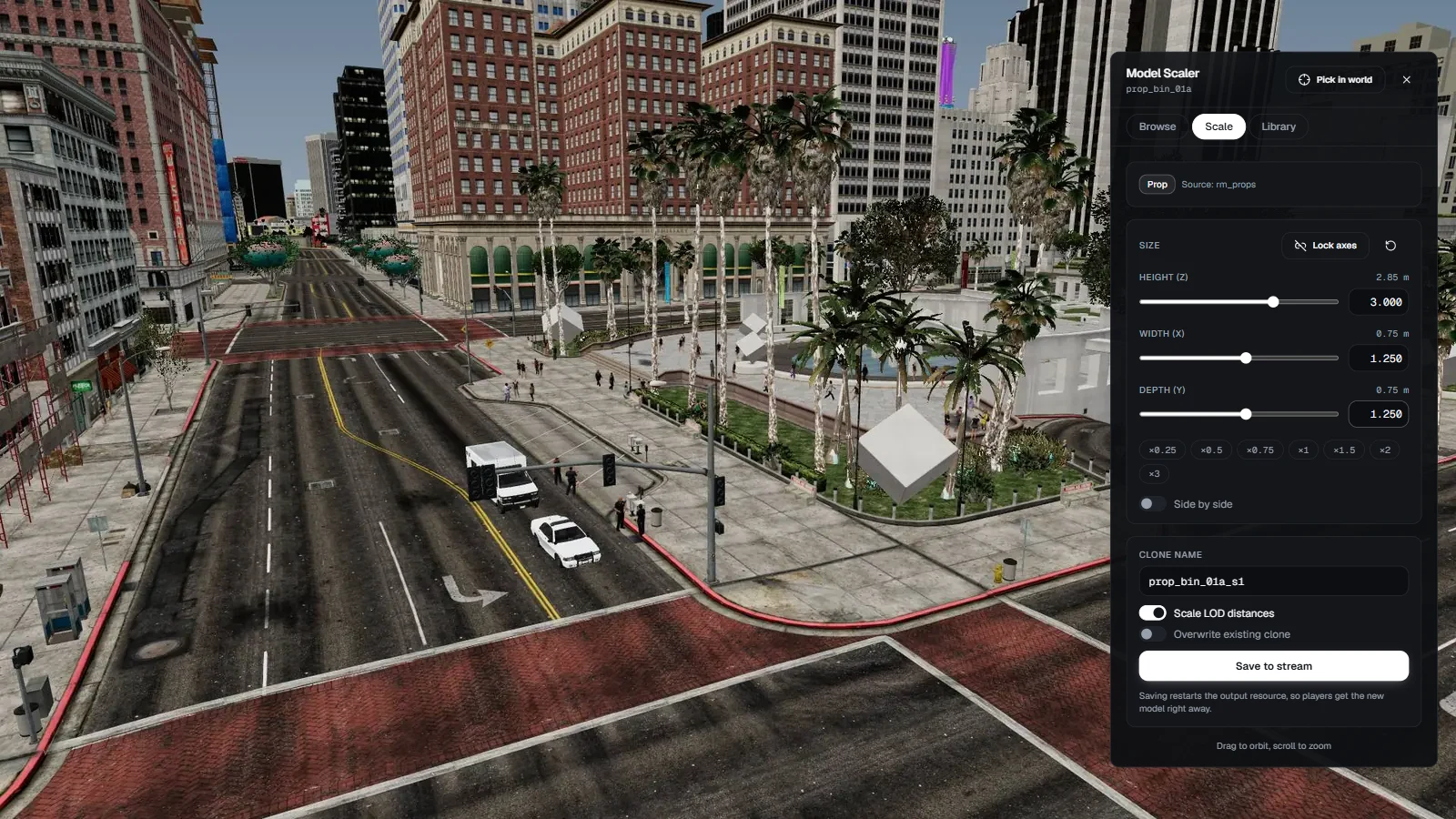
- Props can scale on each axis on its own: a taller bin, a wider table, a long bench. Peds always scale the same on every axis, because a skinned body only stays correct that way.
One output resource and a library
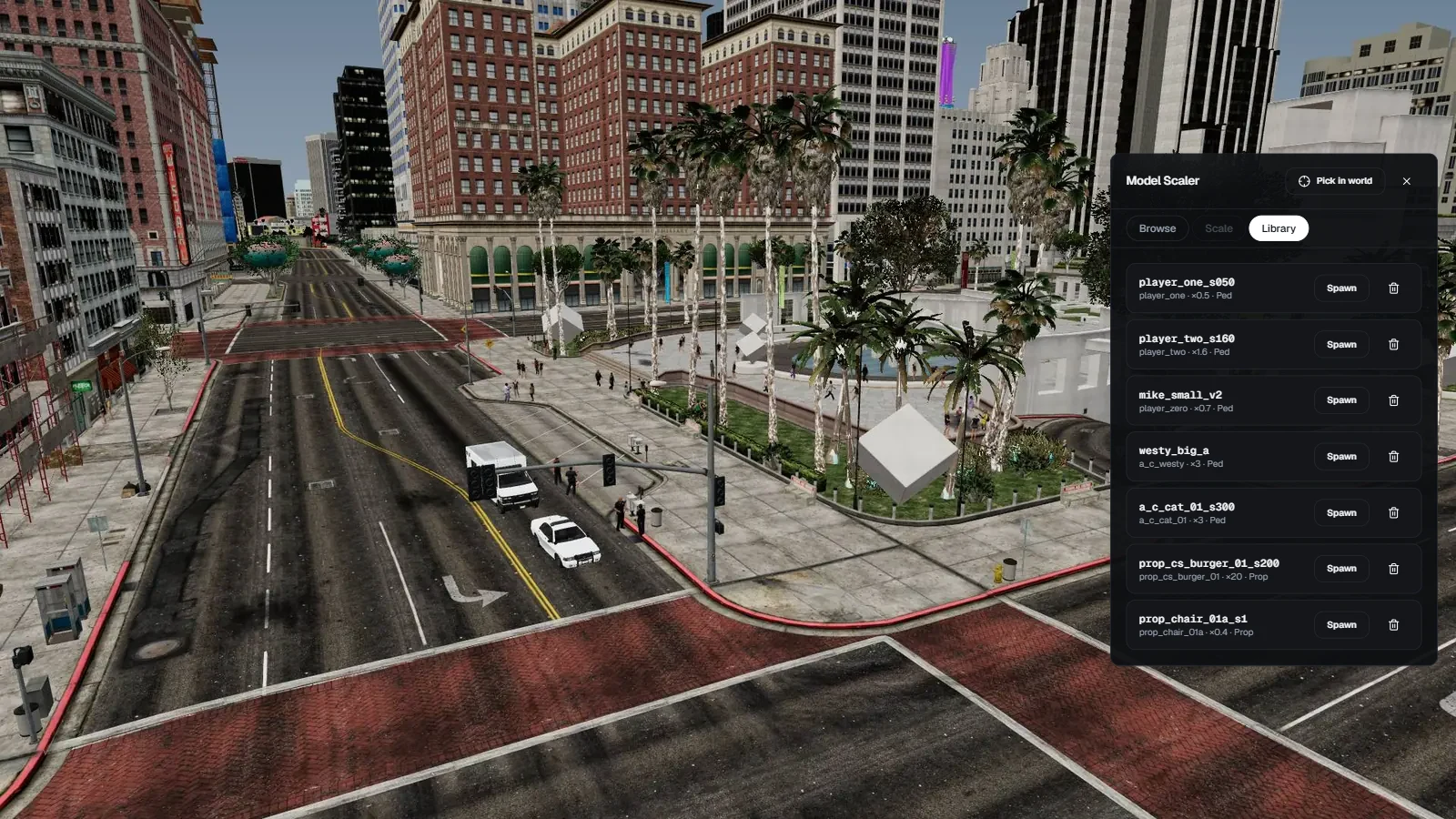
- Every clone goes into
rm_scaler_output, created next to the script on the first save and started by it on every boot. - After a save or a delete it restarts itself, so players get the new model right away (two aces in server.cfg; without them the files are still written and you restart it yourself).
- It is a plain stream resource: copy it to another server and
ensure it, rm_scaler is not needed there. - Library: every clone with its source, scale and type. Spawn it or delete it from the panel.
Live player scale (/setscale)
/setscale <id> 0.5, /setscale <id> 1 1 1.4 or /setscale <id> reset, from in game or the server console.- Synced to everyone through state bags, players who join later included. It draws only while a scaled player is near you.
- Visual only: the hitbox, collision and camera keep their normal size. For events and videos. For a real size change, bake a clone and set it as the player's model.
Safe by default
- An ace permission and a framework admin check on every action, on the server.
- Clone names are checked: no base-game names, no names another resource streams, no path tricks.
- The output folder must be one the script created, so a typo in cfg.lua can never overwrite another resource.
- Every file it reads is checked for size and format. Escrow protected streams are refused. One save at a time.
- Optional Discord webhook log for every save and delete.
Details
- Frameworks: Qbox, QBCore and ESX are detected on their own and only used for the admin check. Without one, the ace permission is all you need.
- Requires: ox_lib 3.30.0 or newer and a recent FXServer (the core runs on Node 22). OneSync only for /setscale. No database, no items.
- Bridged: notifications (builtin, ox_lib, qb, esx, okokNotify, ps-ui, lation_ui, wasabi_notify, zsxui) and text UI (builtin, ox_lib, qb, esx, okokTextUI, jg-textui) are a one word change in cfg.lua.
- Permissions:
rm_scaler.use ace, or framework admin. The command name is yours to change. - Code: source included. Every Lua file, the editor's React source and the TypeScript core that writes the models are readable and yours to change.
- Limits: vehicles cannot be scaled. Peds scale the same on every axis. A ped's swinging cloth parts (
.yld) are left out of the clone. Props packed together in one drawable dictionary (.ydd) cannot be scaled one by one. Escrow protected and GTA V Enhanced files cannot be read. A few animals are not offered because their walk animations hold the front legs at the original length: the rat, deer, coyote, cow, pig, boar, mountain lion, panther, pigeon and the big dogs (shepherd, rottweiler, husky, retriever, Chop). Cats, the small dogs, birds, rabbits, monkeys, fish, sharks and whales scale cleanly. - Payment: one time, no subscription.
- Docs: docs.rainmad.com/resources/scale-peds-props-and-horses-fivem-and-redm
- Support: discord.gg/rainmad
🔥 Use code WELCOME20 for 20% off your first purchase.
Watch the video before you buy.
![Scale Peds, Animals & Props Without Any Bugs! | FiveM Model Scaler [Open Source]](https://dunb17ur4ymx4.cloudfront.net/packages/images/a35c11b4bf4e7c44ca8f28462191ed448622a260.jpg)
