![Blackmarkets: Player-Run Contraband Operation [Open Source]](https://dunb17ur4ymx4.cloudfront.net/packages/images/4d87b5dc26db61c15c611abb416f6dc9cae12175.gif)
Run a black market from your own underground warehouse — order contraband, chase the drops, stock the van, sell to nearby players. Member roles, shared vault, anonymous buyer chat, scheduled NPC vendors, and a full in-game admin panel. The whole operation, no code edits.
Every operation runs from a private underground warehouse — owned by one player, hidden behind a door, and managed entirely from a laptop inside.
A private, instanced underground warehouse, owned by one player, with its own stock, vault, van, and members.
Door-knock system: outsiders knock, the owner or permitted members admit, reject, or kick from the door panel.
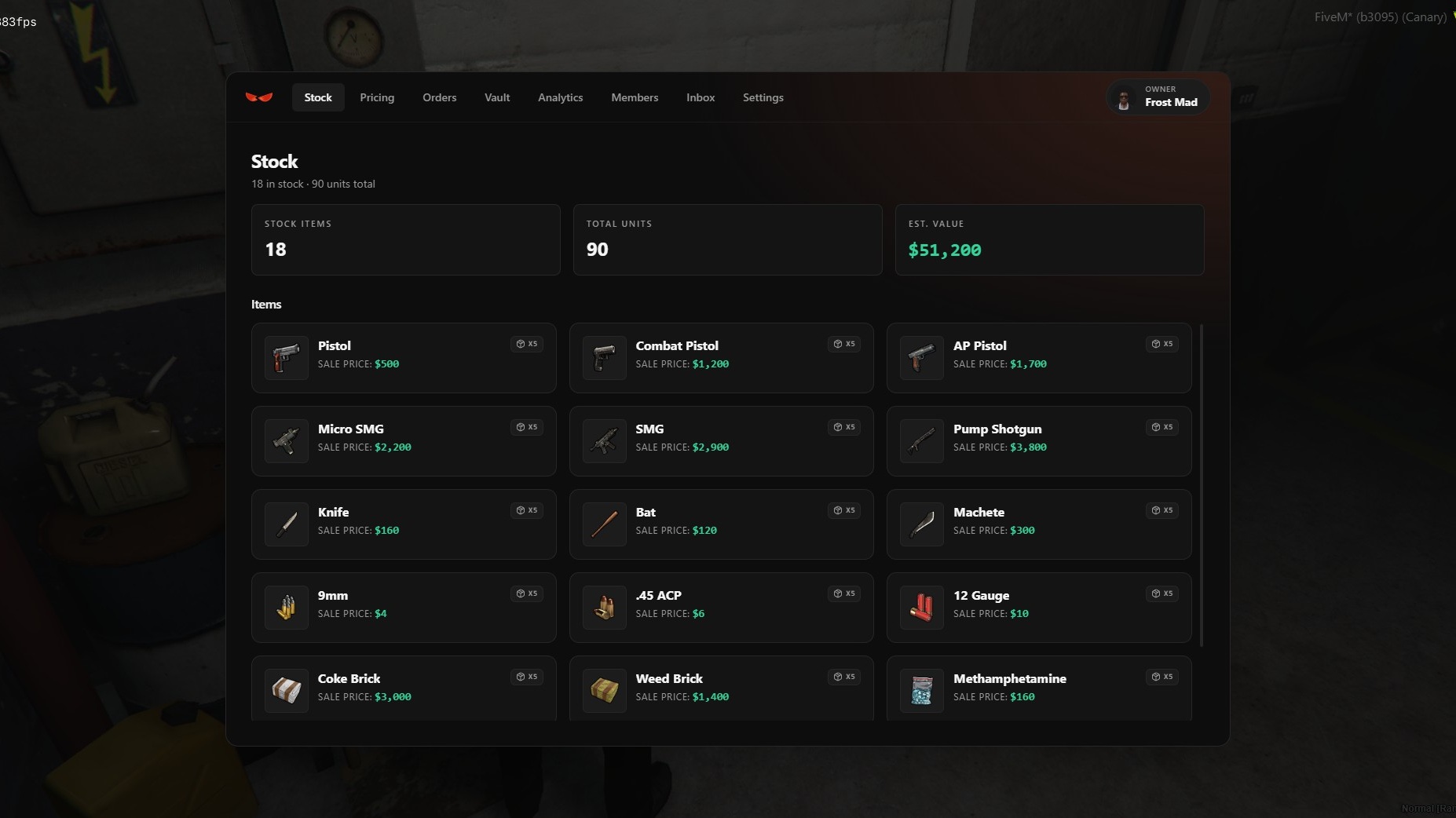
One in-warehouse laptop runs everything: Stock, Pricing, Orders, Vault, Analytics, Members, Van, Inbox, Settings.
You don’t restock from a shop menu — you order goods, wait for them, and go pick them up. The bigger the order, the longer the wait and the more likely the cops hear about it.
Order items (weapons, ammo, drugs, tools — all configurable) from the laptop, paid upfront from the vault.
ETA and police-dispatch chance scale with order size: bigger orders take longer and are more likely to ping dispatch.
Each order spawns as a physical supply drop at a random map location. Reveal it to mark it on the GPS, then carry the box to the van or warehouse before the claim timer expires.
Sealed orders are offloaded into stock before the goods become sellable.
The van is the mobile shop and the biggest liability — load it from the warehouse, take it out, and don’t let the police catch it loaded.
Sale vehicle with cargo capacity (weight or slots). Load stock from the warehouse and drive it out.
Configurable exterior props on the van.
If it’s seized or destroyed, order a replacement van from the vault (configurable fee and delivery delay).
Sales are player-to-player. Open a sale on the street and nearby players walk up and buy from a UI — no static shop, no NPC middleman.
Open a sale anywhere. Nearby players walk up and browse the for-sale list — search, basket, buy-all.
3D item preview with camera zoom on the selling van.
Seller HUD shows earnings, messages, items left, and sale duration.
Optional public listing puts the sale on a map blip / dispatch so buyers can find it.
\
Buyers find vendors through an anonymous in-game phone app — no names, no identities, just the goods.
Anonymous in-game app linking buyers and vendors; no names shown.
Public vendor directory and a live list of open sales.
Vendors reply from the laptop Inbox, can share the van’s live location as a waypoint, and block contacts.
Selling contraband draws heat. Police get dispatch pings, can search a suspect van, and seize it with everything inside.
Police can search a suspect van and seize it; seized cargo is destroyed.
Dispatch alerts on supply pickups and active public sales, sent through your dispatch system.
Optional live van-tracking blip for a configurable duration.
20+ dispatch / MDT integrations.
Run it solo or build a team. Every member gets exactly the access you grant — nothing more.
Per-permission control per member: place orders, pick up drops, move van cargo, drive, set prices, open sales, deposit/withdraw vault, view financials, answer the door, manage members, reply to chats.
Manager / Worker role presets, editable afterward.
Members can’t edit anyone of equal or higher rank; the owner is protected.
A shared vault is the heart of the business, and a 30-day dashboard shows exactly where the money is coming from.
Shared vault funds orders and receives sales, with a full movement log.
30-day analytics: revenue, sales count, average/day, peak day, top items, top sellers, daily charts, and a vault-balance trend.
For quieter hours or solo play, scheduled NPC vendors keep the market moving on their own.
AI vendors that spawn on a schedule (real-world clock or in-game hours), drive a van to a spot, park, and sell a set catalog.
Built in-game through a wizard: name, schedule, items & pricing, locations, review.
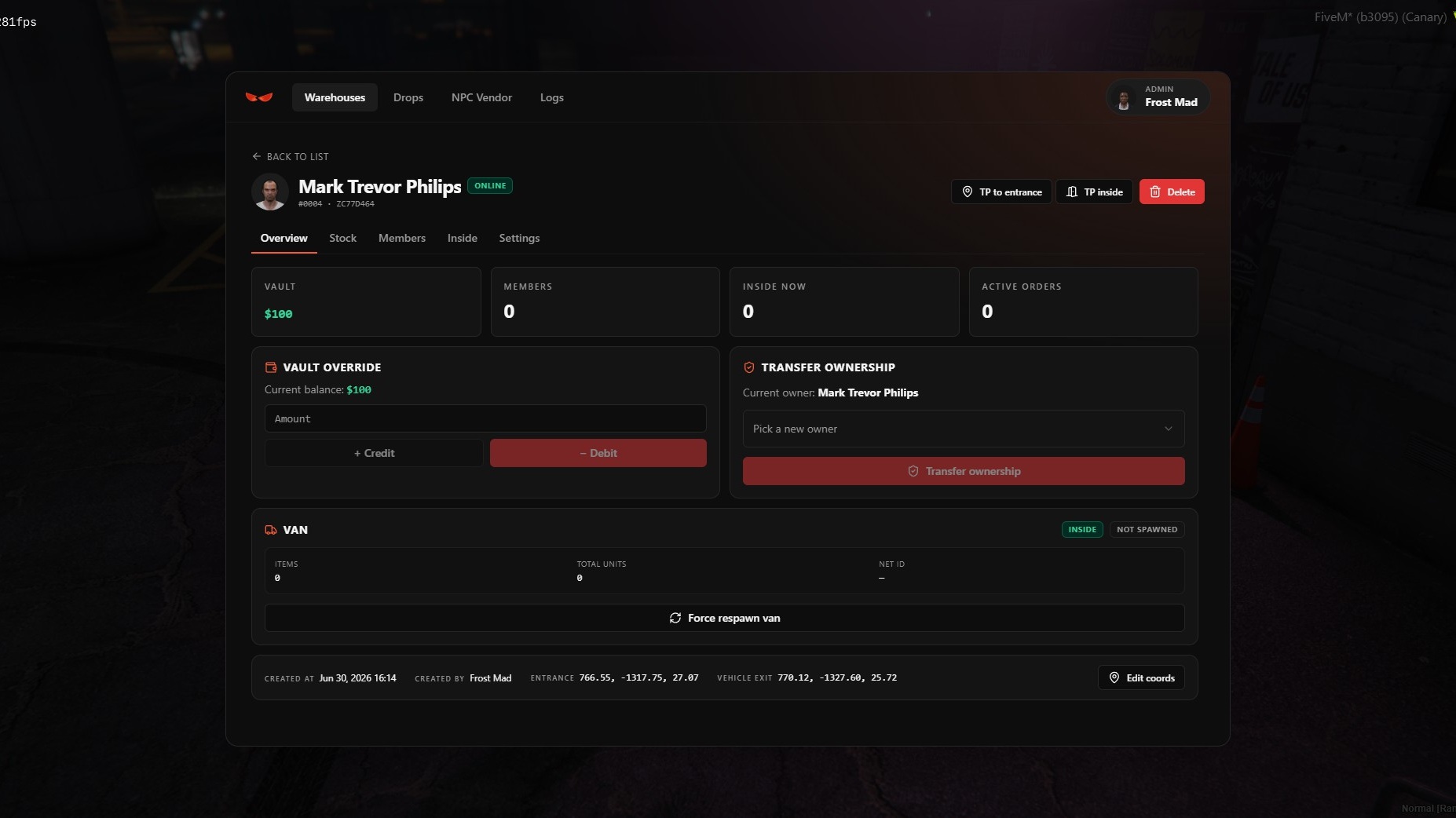
/bm_admin)Everything an admin needs lives in-game — create, inspect, and manage warehouses without touching the database.
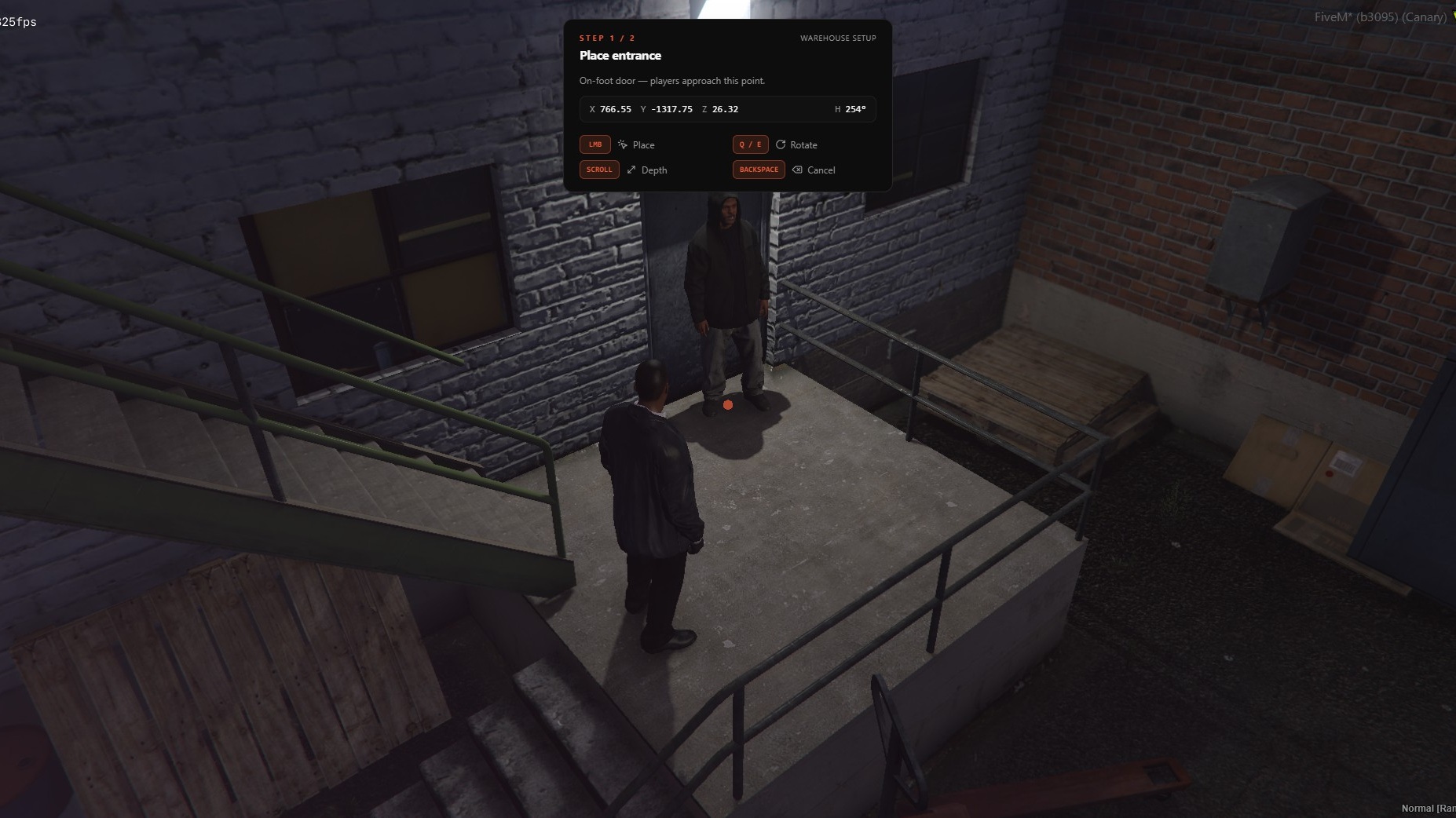
Create warehouses through a wizard: owner, location, starter stock, vault seed, initial members.
Inspect a warehouse: stock, members, players inside, vault override, ownership transfer, force-respawn van, wipe stock/cargo, edit coords, teleport.
Pick drop locations in-world and copy the config line from the panel.
Manage NPC vendors; 30-day admin action log.
Auto-detects your framework and bridges to your existing systems — pick auto or force any option in the config:
Frameworks: ESX · QBCore · QBox (auto-detect)
Target: ox_target · qb-target (or disable)
Notify: builtin · ox_lib · qb · esx · okokNotify · ps-ui · lation_ui · wasabi_notify · zsxui
TextUI: builtin · ox_lib · qb · esx · okokTextUI · jg-textui
Progressbar: builtin · ox_lib · qb · esx · wasabi_uikit · lation_ui · zsxui
Vehicle keys: qb-vehiclekeys · wasabi_carlock · qs-vehiclekeys · cd_garage · Renewed-Vehiclekeys · okokGarage · t1ger_keys · MrNewbVehicleKeys · jaksam
Dispatch / MDT: default · cd_dispatch · qs-dispatch · ps-dispatch · rcore_dispatch · sonoran_cad · origen_police · redutzu-mdt · lb-tablet · core_dispatch · tk_dispatch · l2s-dispatch · bub-mdt · fd_dispatch · kartik-mdt · piotreq_gpt · p_mdt · wasabi_mdt
Phone: lb-phone · yseries
Configurable cfg.lua, open locales/ for any language, Discord webhook logging, and automatic data retention/cleanup.
More compatibility options are added over time — open a ticket for the most up-to-date list.
